 Uzbek
Uzbek English (United States)
 English (UK)
 Albanian
 Arabic
 Aragonese
 Armenian
 Assamese
 Aymara
 Azerbaijani
 Basque
 Belarusian
 Bengali
 Bhojpuri
 Bosnian
 Breton
 Bulgarian
 Cantonese
 Catalan
 Cebuano
 Chinese (China)
 Chinese (Hong Kong)
 Croatian
 Czech
Czech
 Danish
 Dari
Dari
 Dutch
Dutch
 Dzongkha
 English (Australia)
 English (New Zealand)
 English (South Africa)
Esperanto
English (South Africa)
Esperanto
 Estonian
 Finnish
 French (France)
 French (Belgium)
 French (Canada)
 Frisian
 Friulian
 Galician
 German
 Gujarati
 Haitian Creole
 Hausa
Hausa
 Hazaragi
 Hebrew
 Hungarian
 Icelandic
 Igbo
Igbo
 Indonesian
 Irish
Irish
 Italian
 Japanese
 Javanese
 Kabyle
 Kapampangan
 Kazakh
 Khmer
Khmer
 Konkani
 Korean
 Kurdish
 Kurdish
 Kyrgyz
 Lao
Lao
 Latin
Latin
 Latvian
 Lingala
 Lithuanian
 Lombard
 Macedonian
 Malagasy
 Maithili
 Malay
Malay
 Malayalam
 Maori
Maori
 Marathi
 Maltese
 Mongolian
 Moroccan Arabic
 Myanmar
 Nepali
 Norwegian
 Norwegian
 Occitan
 Pangasinan
 Panjabi
 Pashto
 Persian
 Persian (Afghanistan)
 Polish
 Portuguese (Angola)
 Portuguese (Brazil)
 Portuguese (Portugal)
 Quechua
 Rohingya
 Romanian
 Russian
 Sakha
Sakha
 Sanskrit
 Saraiki
 Scottish Gaelic
 Serbian
 Silesian
 Sinhala
 Slovak
 Sicilian
 Sindhi
 Slovenian
 South Azerbaijani
 Spanish (Argentina)
 Spanish (Chile)
 Spanish (Colombia)
 Spanish (Dominican Republic)
 Spanish (Ecuador)
 Spanish (Guatemala)
 Spanish (Mexico)
 Spanish (Peru)
 Spanish (Puerto Rico)
 Spanish (Spain)
 Spanish (Uruguay)
 Spanish (Venezuela)
 Sundanese
 Swahili
 Swedish
 Thai
Thai
 Tagalog
 Tahitian
 Tajik
Tajik
 Tamil
Tamil
 Tamil (Sri Lanka)
 Tatar
Tatar
 Telugu
 Tibetan
 Tswana
 Turkish
 Turkmen
 Ukrainian
 Urdu
Urdu
 Uighur
 Vietnamese
 Welsh
Welsh
 Wolof
Wolof
 Xhosa
Xhosa

PEX CARDHOLDER DOCUMENT-INTERNATIONAL


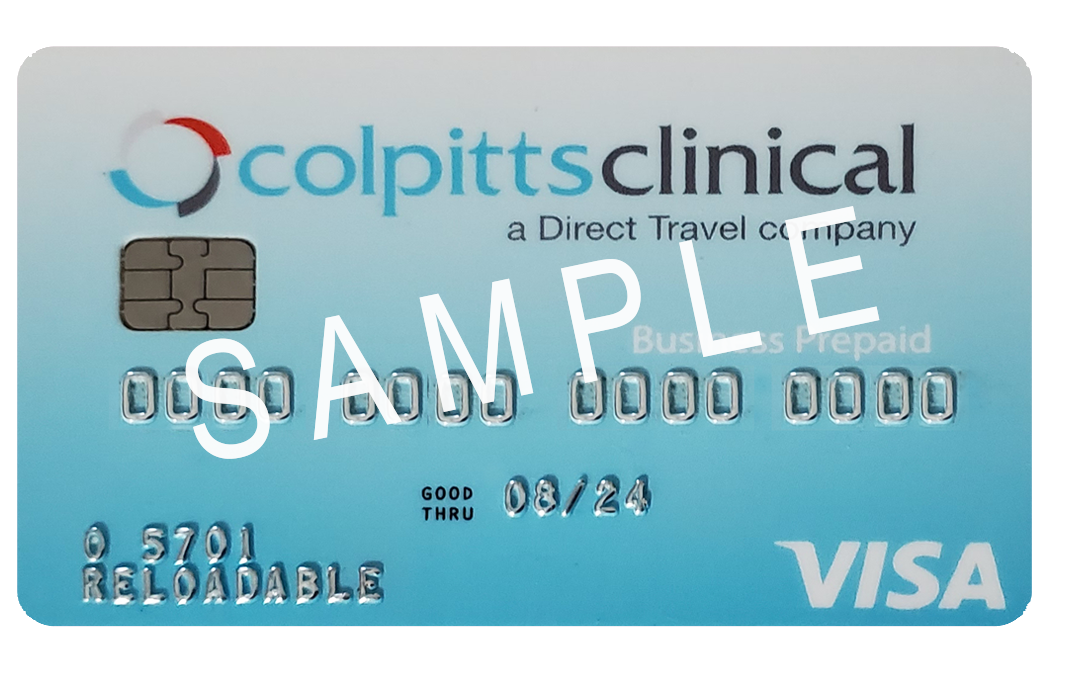
IMPORTANT: Sign your PEX Card
Personal Identification Number (PIN):
- A PIN has not been assigned to your card. This card is a chip and signature only. Should you wish to have a PIN assigned please call Colpitts Clinical at +44.131.226.0800.
- NO CASH ACCESS: You may not use your card to obtain cash from an Automated Teller Machine («ATM»), Point -of-Sale («P0S») device, or by any other means.
- Your Card has been Activated.
- OPTIONAL: Get Started in 2 easy steps
- Visit dashboard.pexcard.com/registration to set up your account & register your card.
- Visit login at dashboard.pexcard.com to check your balance or download the mobile app.
Tips for Using Your PEX Card
The PEX Card is not a credit card. Your purchases will not be approved if the transaction total exceeds your available balance, so be aware of included taxes, tips and fees.
No cash access. You may not use your PEX Card to obtain cash from an Automated Teller Machine {«ATM»), Point-of-Sale {«POS») device, or by any other means.
This card may be used everywhere Visa debit cards are accepted.
Debit or Credit? Choose «Credit» to complete your transaction. If you are using the PIN feature, you may select «Debit» and enter the 4-digit PIN. You will not be authorized for cash back transaction.
Additional information may be found online at dashboard.pexcardholder.com.
To minimize losses, report a lost or stolen card immediately by calling +44.131.226.0800
